
What Does Code B2492 Mean?
DTC B2492, often described as “Already Programmed (Test Mode DTC Only !!!)”, is a manufacturer-specific diagnostic trouble code primarily associated with the vehicle’s body control module (BCM), instrument cluster, or other subsidiary control modules rather than the powertrain control module (PCM/ECM) itself, given its ‘B’ prefix. This code indicates that a specific programming sequence or configuration step, typically intended to be performed once during manufacturing, module replacement, or a specific diagnostic procedure, has been detected as already completed. Critically, the “Test Mode DTC Only” qualifier signifies that this code is usually generated when the control module is operating in a special diagnostic, factory, or transport mode. It serves as an internal flag to the control unit, indicating that it is not in its standard operational state and might be inhibiting certain functions or generating unusual diagnostic outputs specific to a non-normal operational mode. It is not generally indicative of a component failure in the traditional sense, but rather a misconfiguration or an un-exited programming/test state within the module’s software.
Common Symptoms
- Illumination of various warning lights on the instrument cluster (e.g., MIL, ABS, Airbag, Security, Immobilizer, Battery light).
- Inoperative or intermittent functionality of specific vehicle features (e.g., central locking, power windows, infotainment system, cruise control, climate control).
- Failure to start the engine, particularly if the immobilizer system is affected by a module being stuck in a programming or test mode.
- Difficulty communicating with the affected module using a diagnostic scanner, or inability to perform certain programming/coding functions.
- Unusual or unexpected behavior from electrical accessories or security systems.
- Vehicle remaining in “transport mode,” leading to limited speed, restricted features, or abnormal charging system operation.
What Causes the Code B2492?
- Control Module Stuck in Test/Factory Mode: The primary cause is often the affected control module (e.g., BCM, instrument cluster, infotainment module) failing to properly exit a factory diagnostic, transport, or programming mode. This can occur due to a software glitch, an interrupted diagnostic procedure, or a faulty internal circuit.
- Incomplete or Failed Module Programming: An attempted re-flash, programming, or configuration of a control module may have failed or been interrupted, leaving the module in an indeterminate state where it incorrectly reports its programming status as “already programmed” while still being in a non-operational or test mode.
- Internal Control Module Software Corruption: A corrupted software image or an internal hardware fault within the control module can cause it to misinterpret its programming status or prevent it from transitioning to a normal operational state.
- Intermittent Power or Ground Supply: Although less common, an unstable or intermittent power or ground connection to the control module during a programming cycle or module initialization can lead to an erroneous programming status or a module getting stuck in a test mode.
- Improper Diagnostic Tool Usage: Using non-compatible diagnostic software, an outdated scanner, or incorrect procedures during module programming or system checks can inadvertently trigger this code or prevent the module from exiting a test state.
How to Diagnose and Troubleshoot
Diagnosis of B2492 requires a professional-grade diagnostic scanner capable of advanced functions and a systematic approach:
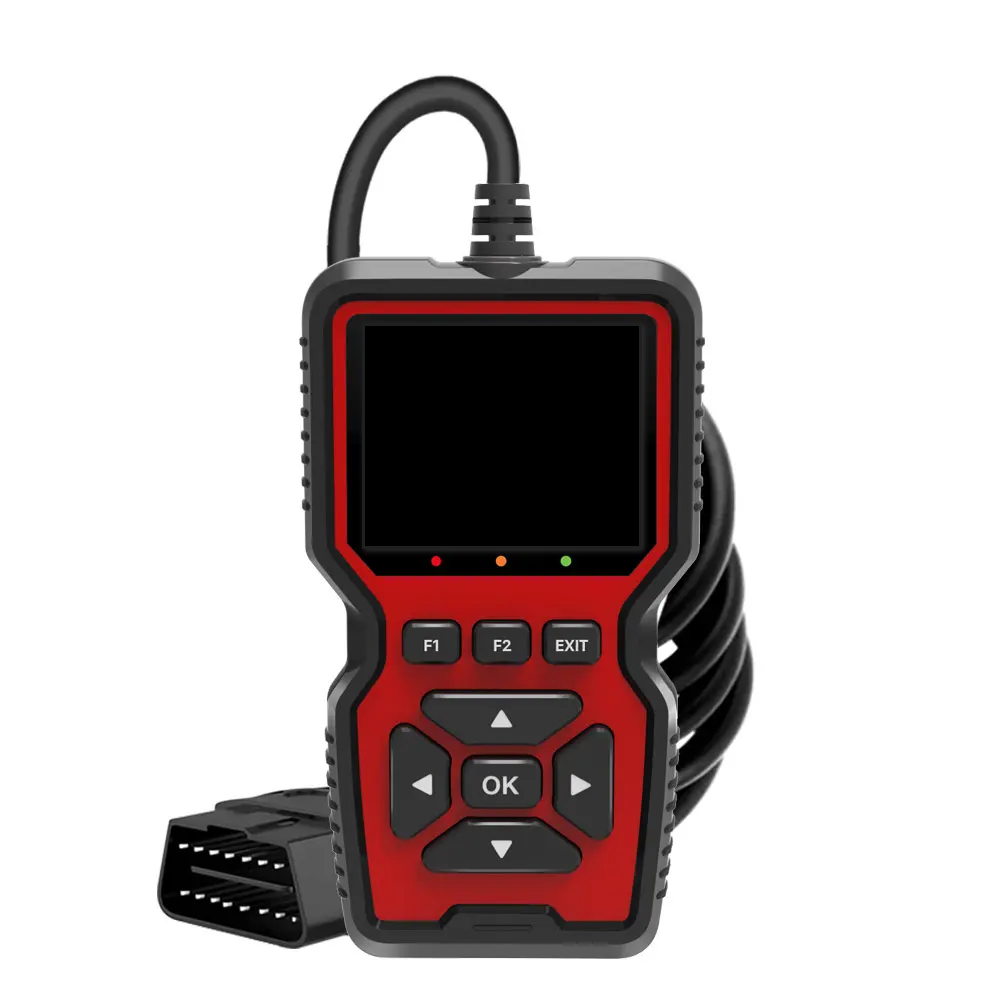
- Initial Scan and Documentation: Connect a professional OBD-II scanner and perform a complete system scan to retrieve all stored DTCs from all accessible control modules. Document the B2492 code, any associated freeze frame data, and any other concurrent DTCs, especially those related to communication or specific module failures.
- Verify Module Status Parameters: Access the specific control module (e.g., BCM) that reported B2492 using the scanner. Navigate to the live data or special functions section. Look for parameters such as “Test Mode Status,” “Factory Mode Active,” “Transport Mode,” “Programming Status,” or similar flags. These parameters often provide direct confirmation of the module’s current operational state.
- Attempt to Exit Test/Transport Mode: Many professional diagnostic scanners offer specific “Special Functions” or “Bi-directional Controls” to command modules out of transport mode, factory mode, or programming mode. Follow the manufacturer-specific procedure diligently. A common procedure involves selecting the function and confirming the exit command.
- Check for Technical Service Bulletins (TSBs): Research manufacturer-specific TSBs or software updates related to B2492, module programming issues, or vehicles getting stuck in test/transport modes for the specific make, model, and year.
- Perform a Hard Reset: Disconnect the vehicle’s battery (negative terminal first, then positive) for a minimum of 15-30 minutes. This can sometimes clear volatile memory states that might be keeping a module in a test mode. Reconnect positive terminal first, then negative. Note: Be aware of any radio codes or module re-learn procedures required after a battery disconnect.
- Inspect Wiring and Connectors: Visually inspect the wiring harness and connectors leading to the affected control module for any signs of corrosion, damage, chafing, or loose terminals. Pay close attention to power, ground, and data bus (CAN, LIN) lines. Using a digital multimeter (DMM), verify proper battery voltage (B+) and ignition-switched voltage supply, as well as ground continuity at the module connector pins according to the vehicle’s wiring diagrams. Check for any abnormal resistance on data lines if applicable.
- Module Reprogramming/Re-flash (If Applicable): If previous steps fail, and it’s suspected that the module’s programming is corrupted or incomplete, a full re-flash or reprogramming of the module with the latest manufacturer software may be necessary. This requires specialized tools (e.g., J2534 passthrough device) and a stable power supply during the entire process. CRITICAL: Ensure the correct software is used and the battery voltage is maintained above 12.5V throughout the reprogramming process to prevent further module damage.
Recommended Repairs and Solutions
- Exit Test/Factory/Transport Mode: The most frequent solution for B2492 is to simply command the module to exit its current non-normal operating mode using a compatible diagnostic scanner’s special functions. This often resolves the issue instantly.
- Control Module Reprogramming: If the module’s software is corrupted, or a previous programming attempt was incomplete, successfully re-flashing or reprogramming the module with the latest manufacturer-approved firmware will often rectify the problem. This ensures the module is running the correct software version and can transition to a normal operational state.
- Control Module Replacement: In cases where the module is internally faulty (e.g., unrecoverable software corruption, internal hardware defect preventing proper operation or reprogramming), replacement of the affected control module (e.g., BCM, instrument cluster) is necessary. After replacement, the new module will require programming, coding, and potentially security-link procedures to the vehicle using manufacturer-specific tools.
- Wiring and Connector Repair: Any identified damage to the power, ground, or data bus wiring and connectors leading to the affected module must be repaired or replaced to ensure stable electrical connections and communication.
- Clear All DTCs and Verify: After any repair, always clear all diagnostic trouble codes from all modules. Perform a comprehensive test drive or activate all relevant vehicle functions to confirm that B2492 does not return and that all systems are operating as intended. Re-scan all modules to ensure no new or pending codes have appeared.