
What Does Code B2205 Mean?
DTC B2205 signifies a malfunction within the vehicle’s Global Positioning System (GPS) receiver or its associated circuitry. As a “B” code, it typically indicates a problem detected by a Body Control Module (BCM) or a dedicated infotainment, navigation, or telematics control module, rather than directly by the Powertrain Control Module (PCM/ECM). The relevant control module monitors the operational status of the GPS receiver, including satellite signal acquisition, signal strength, internal diagnostic reports from the receiver itself, and communication integrity over the vehicle’s Controller Area Network (CAN) bus or other serial data lines. When the module detects that the GPS receiver is unable to acquire sufficient satellite signals, is experiencing an internal hardware fault, has a communication error, or is otherwise non-functional, it sets code B2205. This impacts critical vehicle subsystems that rely on accurate location data, such as onboard navigation, emergency telematics services (e.g., automatic crash notification, roadside assistance), and potentially features like automatic time synchronization.
Common Symptoms
- Loss of Navigation Functionality: The most apparent symptom, where the vehicle’s navigation system fails to display the current position, shows an incorrect location, or continuously displays a “acquiring satellites” or “GPS signal lost” message.
- Inaccurate Vehicle Positioning: The vehicle icon on the navigation map may drift, be stuck in one location, or display incorrect coordinates.
- Telematics System Malfunctions: Services such as emergency call assistance (e.g., OnStar, SOS buttons), stolen vehicle tracking, or concierge services may become inoperative or report system errors due to the inability to determine the vehicle’s precise location.
- Incorrect Time/Date Display: If the vehicle’s clock is synchronized via GPS, it may display an incorrect time or fail to update automatically.
- “Service Navigation System” Warning: A generic warning message or indicator light may appear on the infotainment screen or instrument cluster prompting the driver to service the navigation or telematics system.
What Causes the Code B2205?
- Faulty GPS Receiver Module: Internal electronic failure or hardware degradation within the dedicated GPS receiver unit, preventing it from processing satellite signals.
- Damaged GPS Antenna: Physical damage to the antenna, internal breaks in the antenna element, water intrusion, or a compromised connection, leading to poor or no signal reception.
- Wiring and Connector Issues: Open circuits, short circuits, high resistance, or corroded terminals within the coaxial cable connecting the GPS antenna to the receiver module, or in the power/ground/communication wiring harness for the GPS receiver module itself.
- Control Module Failure: An internal malfunction within the Navigation Control Module, Telematics Control Module, or the specific infotainment control unit responsible for interfacing with the GPS receiver.
- Software Glitch or Corruption: Rare but possible software anomalies or corrupted firmware within the control module managing the GPS system.
- External Signal Interference: While less likely to set a hard code, severe and prolonged external radio frequency interference (RFI) could potentially disrupt GPS signal acquisition.
How to Diagnose and Troubleshoot
A systematic approach leveraging advanced diagnostic tools and electrical testing is crucial for accurately diagnosing B2205.
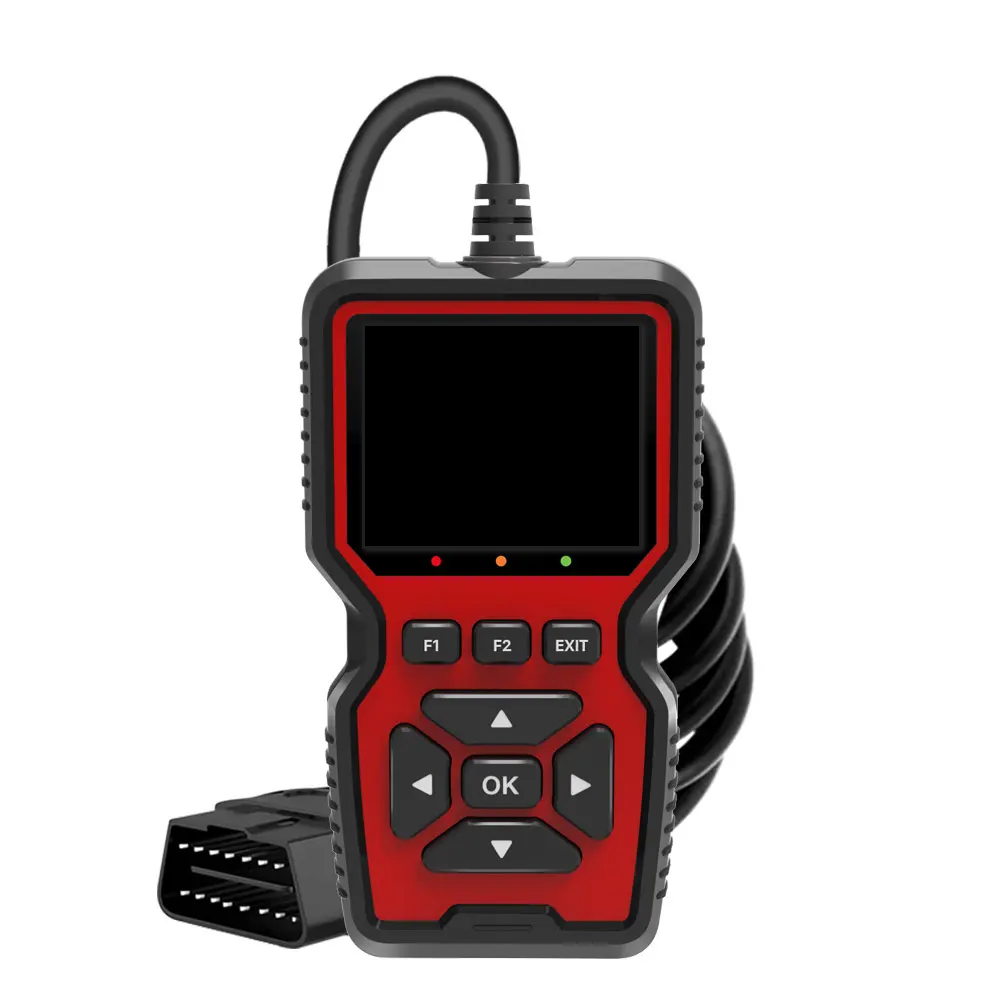
- Retrieve All DTCs: Use an advanced OBD-II scan tool capable of communicating with all vehicle modules (not just PCM/ECM) to retrieve all current, pending, and history diagnostic trouble codes from the Body Control Module, Navigation Control Module, and Telematics Control Module. Note any related communication codes or other B-codes that might point to a broader network issue.
- Review Live Data: Access live data parameters from the relevant control module. Look for GPS-specific PIDs such as “Number of Satellites Acquired,” “GPS Signal Strength (dBm),” “GPS Fix Status,” and “Antenna Continuity/Circuit Status.” A healthy system should show a sufficient number of satellites (typically 4 or more for a 3D fix) and adequate signal strength when the vehicle is outdoors with a clear view of the sky.
- Visual Inspection:
- GPS Antenna: Locate the GPS antenna (commonly on the roof, dashboard, or rear parcel shelf). Inspect it for physical damage (cracks, impacts), signs of water intrusion, or a loose mounting. Follow the coaxial cable from the antenna to the receiver module, checking for kinks, pinches, cuts, or damaged connectors.
- GPS Receiver Module/Control Unit: Locate the relevant control module (consult vehicle service manual for exact location, often behind the dashboard, under a seat, or in the trunk). Inspect its electrical connectors for corrosion, bent pins, or proper seating. Examine the wiring harness for any signs of damage or modifications.
- Electrical System Tests (Digital Multimeter – DMM):
- Power and Ground: With a DMM, check for proper power supply (B+ voltage) and ground at the GPS receiver module’s electrical connector. Compare readings to OEM specifications.
- Coaxial Cable Continuity: If the coaxial cable between the antenna and module is separable, disconnect it at both ends. Use the DMM to check for continuity of the center conductor and the shield. Also, check for shorts between the center conductor and the shield, and shorts from both to vehicle chassis ground. A healthy coaxial cable should show continuity along its length and no shorts.
- Antenna Integrity: Some active GPS antennas may have a specific resistance or diode characteristic; consult the vehicle service manual for testing procedures. Passive antennas will generally show an open circuit between the center pin and shield when disconnected.
- Communication Bus Integrity: If the GPS receiver module communicates over the CAN bus, use the scan tool to monitor CAN bus activity and check for communication errors specifically with that module. Check CAN H and CAN L line integrity at the module connector if suspect.
- Module Self-Test/Activation: If available, use the scan tool or OEM diagnostic software to initiate a self-test of the navigation or telematics module. Some systems allow for forced GPS acquisition or a diagnostic test mode.
Recommended Repairs and Solutions
Once the root cause is precisely identified through diagnostics, the following repairs are typically recommended:
- Repair or Replace Damaged Wiring/Connectors: If the issue is traced to a compromised wiring harness or corroded connector, meticulously repair or replace the affected section using OEM-approved repair procedures. Ensure proper sealing and strain relief for all connections.
- Replace Faulty GPS Antenna: If testing confirms the GPS antenna is defective (e.g., physically damaged, open circuit, short circuit), replace it with an OEM or equivalent quality aftermarket unit. Pay careful attention to proper routing of the coaxial cable and secure mounting to prevent future issues and maintain signal integrity.
- Replace GPS Receiver Module/Control Unit: If all other components (wiring, antenna) test good and the fault points to an internal module failure (e.g., no communication, internal self-test failure), the GPS receiver module or the control unit housing it will require replacement. Be aware that many modern control modules are VIN-coded and require programming or coding with an OEM diagnostic tool after installation to function correctly within the vehicle’s network.
- Software Update: In rare instances, particularly if a Technical Service Bulletin (TSB) exists, a software update for the navigation or telematics control module performed by a dealership or a specialist with OEM diagnostic equipment may resolve the issue.
- Clear DTCs and Retest: After any repair, clear all stored DTCs from all relevant modules. Conduct a thorough road test, preferably in an open area, to confirm that GPS functionality has been restored and the B2205 code does not reappear. Verify navigation accuracy and telematics service functionality.